I recently posted on my camera club’s Facebook page about how I was pleasantly surprised to see that some of the selections in Nikonians Best of 2021 were photographs that had been transformed into art, possibly using Photoshop or Topaz Studio 2. Although I don’t know the specific software used, it’s clear that these artists have skilfully turned these photographs into art. See for yourself.
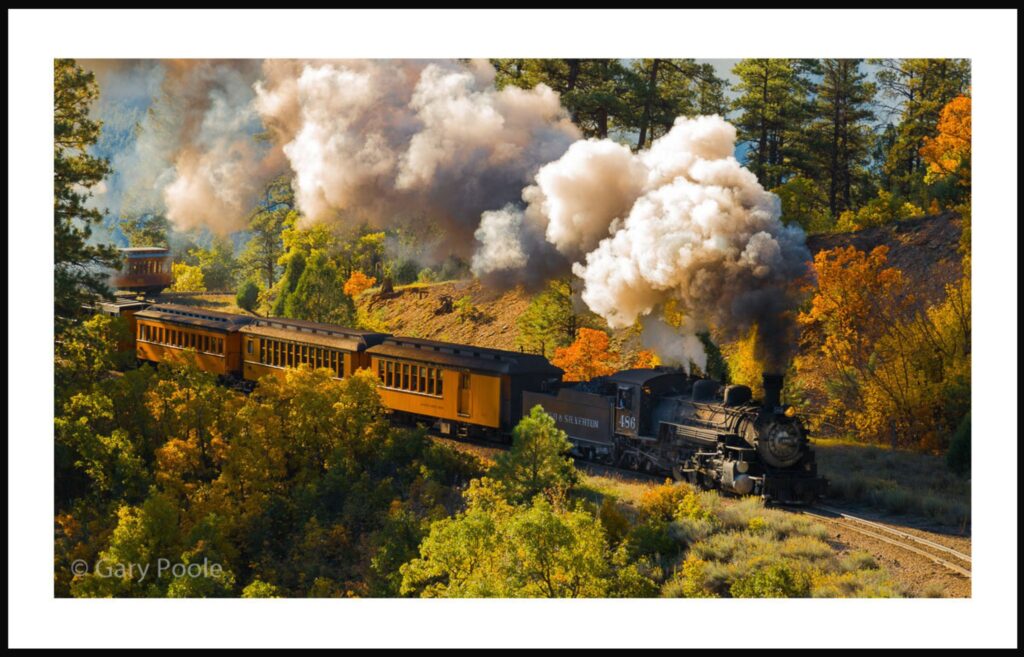
Gary Poole, Durango & Silverton
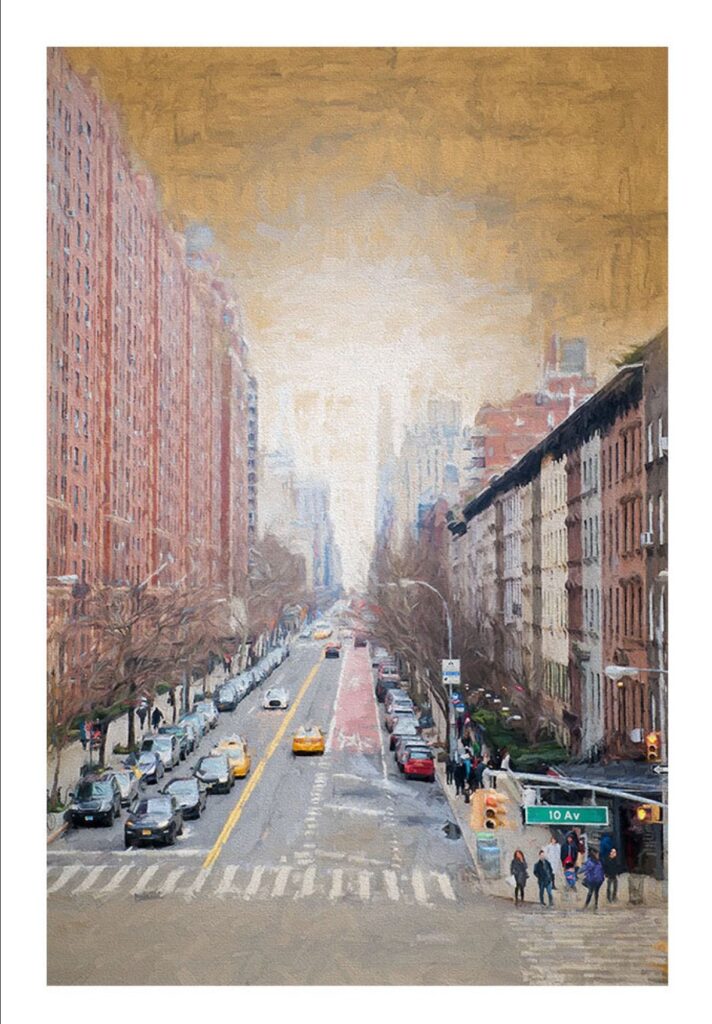
Kathy Cavallaro – Manhattan
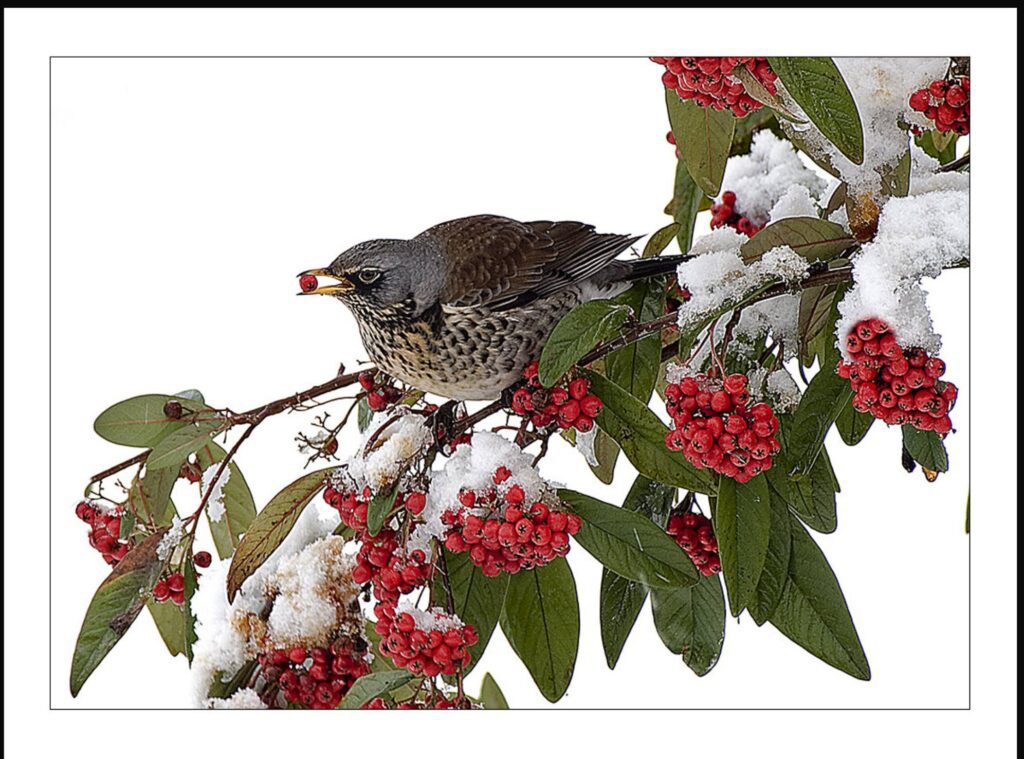
Mark Thomas – Fieldfare
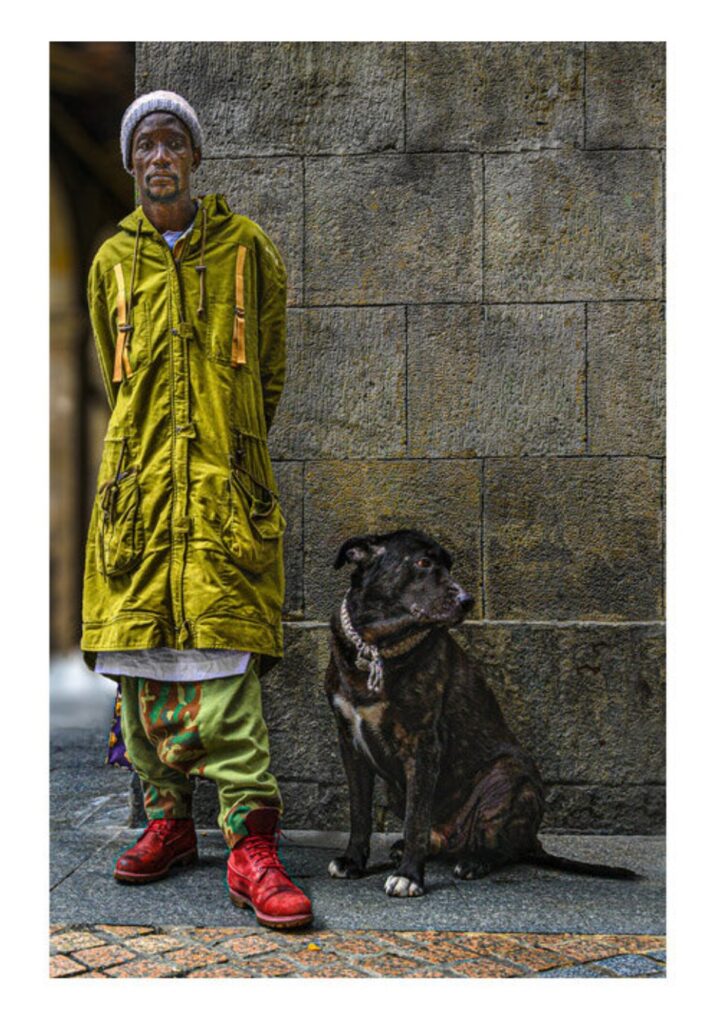
Russell Whittemore – El Extrano
One member commented that they do not use Topaz Studio 2 because Topaz will no longer support it, but I don’t believe this is entirely true. Indeed, you don’t see Topaz Studio 2 on Topaz’s Products page. It doesn’t mean that they will not support existing users with bug fixes. I sent a question about this to their Sales department, and I’m waiting for their response. You don’t have to use Topaz Studio 2 to create this type of work. There are other software options.
Software Options
One option, of course, is to use classic Photoshop. There are many videos on how to turn your photographs into digital art, such as How to Turn a Photo into a Painting in Photoshop and How to Turn Photography into Fine Art in Photoshop. There are also courses on Udemy, such as Digital Pet Painting Using Photoshop by Lori Jill, and Turn Photographs into Digital Paintings using Photoshop, also by Lori Jill. But these are not the only choices. You can use Corel’s Painter or Affinity Pro. There’s a good video on using Affinity Pro by Scott Williams to turn portraits into painterly art to create a look that is similar to Russell Whittemore’s, EL Extrano (The Weird).
Affordability
If you can’t afford this software, there are open-source alternatives for you to consider. Now, one word of caution. Open-source software is free, but donations are often welcome to keep software development active with updates. You can run into problems where something doesn’t work quite right, and you need help. These programs rely heavily on a support community of users where you can post your problem or search posts that address it. Sometimes, and I’ve had this happen to me, no one has the problem you’re having, so there’s no quick solution, or you post your problem, and no one in the community responds. This response doesn’t happen often, but just be aware. You’re not going to get the level of support from Adobe or Topaz Studio. One may argue that their support isn’t great anyway, but they sell the software as a business product, and they do stand behind it.
Open Source Software
A prominent Open Source image editing software is GIMP. This software is considered the open-source equivalent of Photoshop. Here is a video by the GIMP Workshop, GIMP: Turn a Photo Into a Digital Painting and Gimp: from photo to oil painting. Finally, there is a recent newcomer to the software image editing scene, Krita, founded in 2009, but developed initially by Matthias Etrich in 1998. The direction of Krita was to be an image editing and painting software, but since 2009, it has switched focus to painting. There’s a video by Blade & Quill, Turn any photograph into a pencil sketch using Krita.
Give the Open-Source software a try. You should be able to install it on Windows, Mac, and Linux platforms. Watch the videos, and if you enjoy them, consider trying one of the commercial software options. In addition to the YouTube video, you could sign up for Udemy and take one of their courses. I’ve taken several of their courses and learned a lot; the prices were reasonable. They often have sales where you can buy a course for under $20.
Bobby